Distinct AI vs. ComfyUI: Which Local AI Image Tool Is Right for You?
Distinct AI and ComfyUI solve the same core problem: generating images locally, on your own hardware, without sending prompts to someone else's server. Here's how they actually compare.
Distinct AI vs. ComfyUI: Which Local AI Image Tool Is Right for You?
If you've spent any time researching local AI image generation, you've run into ComfyUI. It shows up in nearly every tutorial, every forum thread, every "how do I run local AI images on my own machine" conversation. For good reason. It's one of the most capable tools in the space.
Distinct AI and ComfyUI solve the same core problem: generating images locally, on your own hardware, without sending prompts to someone else's server. Here's how they actually compare.
What Is ComfyUI?
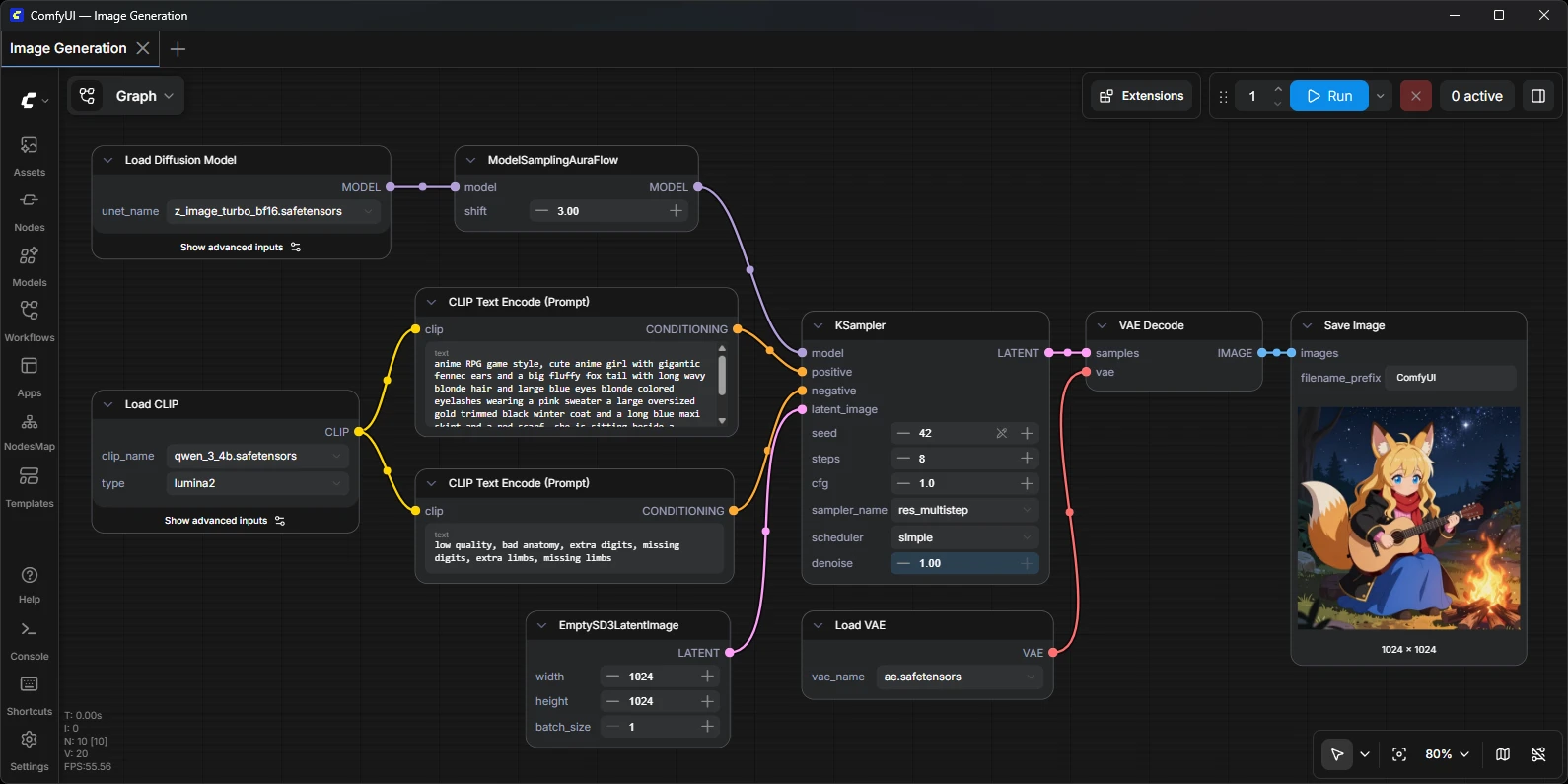
ComfyUI is a free, open-source node-based interface for running AI image models locally. Instead of a visual interface, you build workflows by wiring together nodes that represent each operation: load a model, apply a prompt, adjust settings, sample, decode. Save a workflow as JSON and it can be rebuilt exactly, shared, or reused.
A ComfyUI workflow: individual nodes for the model, prompt, sampler, and output, wired together by hand.
That node graph approach is powerful if you're chaining models together, building complex pipelines, or diving deep into advanced techniques. The tool supports a wide range of models including FLUX, SDXL, Stable Diffusion, and others. A large community maintains custom nodes and extensions, including a Manager tool that handles model browsing and downloading, along with add-ons for things like ControlNet, upscaling, and video generation.
The real learning curve is the interface itself. Installation has gotten easier with ComfyUI Desktop, a one-click installer for Windows and macOS that gets you up and running quickly. But once it's installed, you're still working in a node graph. Building and troubleshooting workflows, understanding how nodes connect, knowing which ones you need for a given result, is a real skill that takes time to develop.
What Is Distinct AI?
Distinct AI is a set of local AI image apps: Render FX generates images from a prompt, Vector FX creates clean editable vector graphics, Vision FX edits and reimagines existing images, and HDR FX enhances photo detail. All of it runs entirely on your desktop, so your prompts and images never leave your machine: no cloud processing, no credits, and full privacy over what you create. Everything you generate comes with commercial usage rights included, so you're free to use your images in client work, products, or anything else you're building.
The experience is built for speed and clarity. You pick a model from the built-in Model Hub, write or paste your prompt, choose a style preset if you want stylistic guidance, and adjust parameters like guidance, steps, and seed. Then you generate. The interface shows you exactly what you're working with: the model you've selected, the prompt, the preset, the settings that matter. You see results immediately.
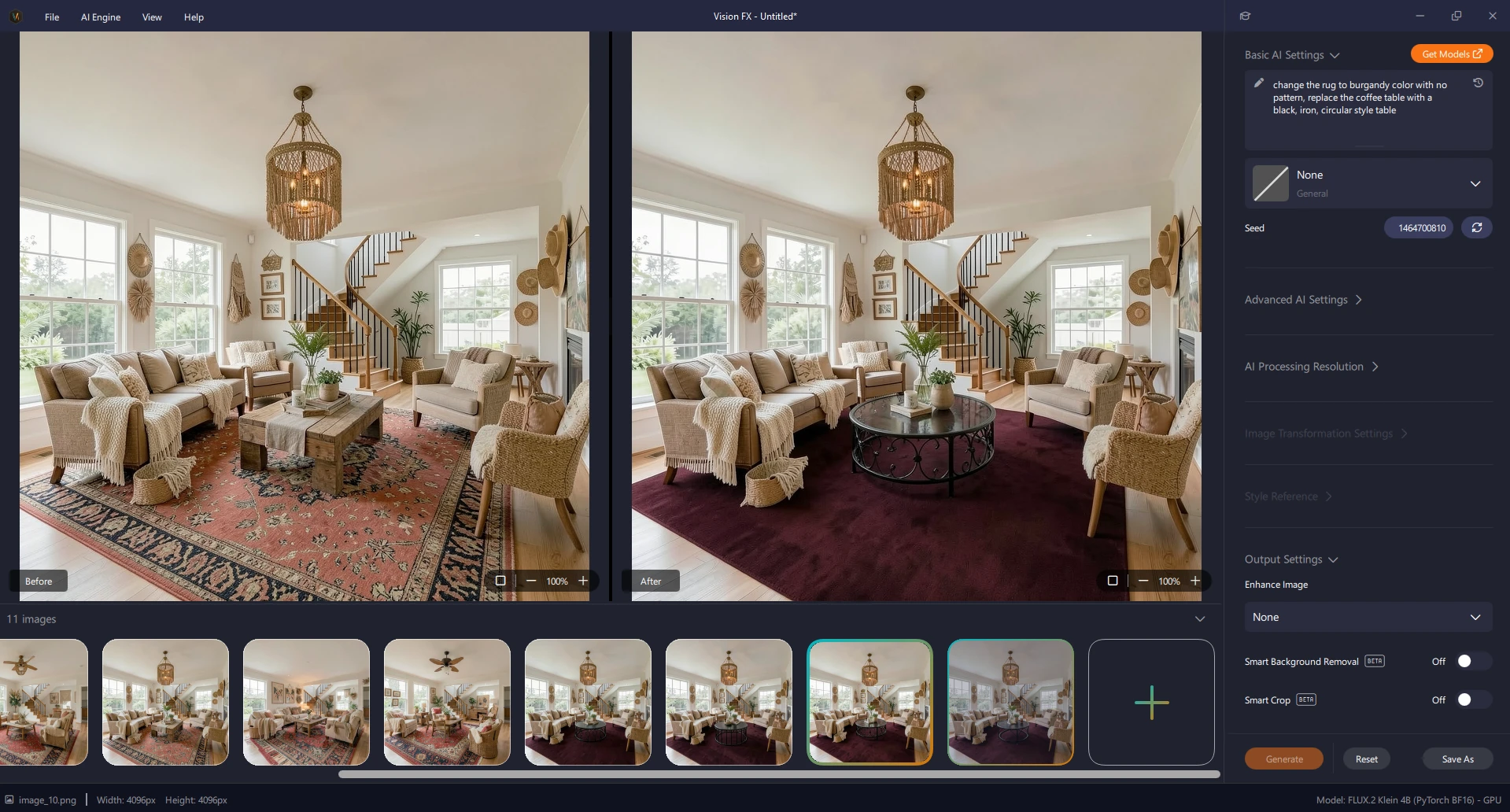
The screenshots in this post are from Vision FX specifically, but the model-pick-prompt-preset-generate flow is the same straightforward approach across every Distinct AI app, whether you're generating a new image, editing an existing one, or creating a vector graphic. Distinct AI gives you access to multiple state-of-the-art models, including FLUX, SDXL, SD 3.5, and others, all organized and ready to use through the Model Hub. Style presets give you a fast way to guide the look of an image (photorealistic, illustrated, cinematic, and so on) without having to describe every stylistic detail in your prompt. You can refine results by tweaking your prompt, adjusting the seed for variation, switching presets, or trying a different model, all from the same straightforward interface.
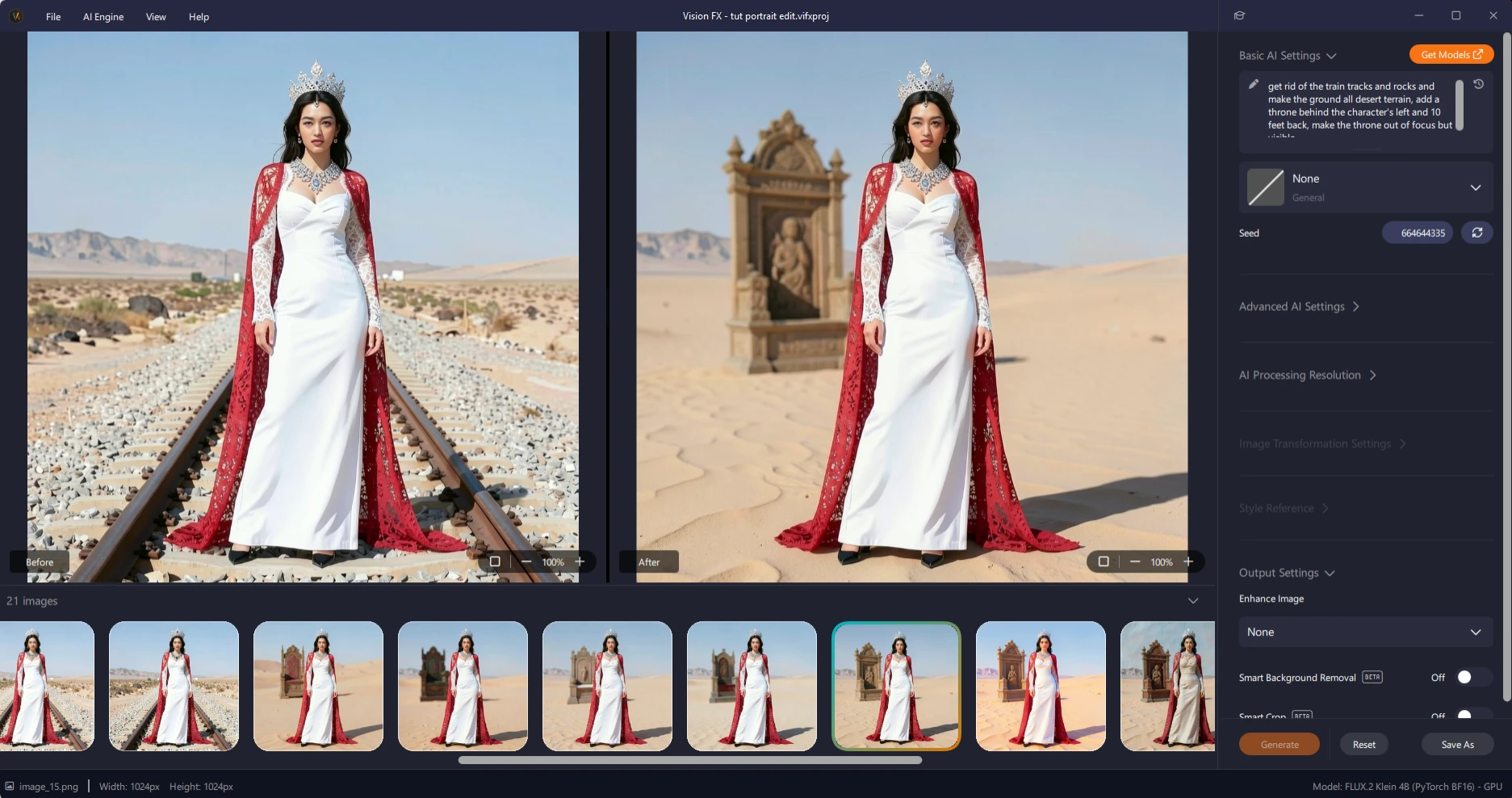
Vision FX swapping out an entire background, from a plain desert setting to a custom throne scene, while keeping the subject consistent.
Because Distinct AI skips the node graph, you're not building pipelines or chaining multiple models in sequence. What you get instead is speed, from opening the app to your first result in seconds, and focus. Your job is the image. The tool handles the technical setup, so working on your own hardware feels as simple as using any cloud app, minus the downsides.
At a Glance
Interface:
ComfyUI uses a node graph workflow.
Render FX uses a straightforward model, prompt, and preset interface.
Setup:
ComfyUI Desktop offers a quick one-click installer.
Render FX installs and opens immediately.
Model Access:
The popular ComfyUI Manager extension lets you browse and download models within the app.
Render FX includes a built-in Model Hub with models ready to use out of the box.
Best For:
ComfyUI excels at complex, reproducible, multi-model pipelines and advanced workflows.
Distinct AI is built for fast, straightforward AI image generation and editing.
Learning Curve:
ComfyUI has a steep learning curve, centered on the node graph itself.
Render FX is quickly usable by anyone.
Where ComfyUI Has the Edge
If your work depends on chaining multiple models together, building reproducible workflows, or working at the absolute edge of new techniques, ComfyUI's flexibility is hard to match. Its node-based structure and custom-node ecosystem open up possibilities, advanced video workflows, ControlNet chains, model stacking, that a simpler interface isn't designed to handle.
If that's the work you do, ComfyUI is the right tool. Getting it installed is no longer the barrier it used to be. Learning to think in nodes still is.
Where Distinct AI Has the Edge
Most people generating images locally aren't trying to build a pipeline. They're an entrepreneur, photographer, designer, marketer, or content creator who wants great images, made on their own machine, without a steep learning curve standing between them and the result.
Distinct AI is built for that person:
Multiple state-of-the-art models available in one place, ready to use, with no manual setup.
Style presets that give you fast, consistent stylistic control without wrestling a prompt into submission.
A clean, visual interface where you see exactly what you're doing: the model, the prompt, the preset, the settings.
Fast iteration. Adjust your prompt, try a different model or preset, refine the seed, and generate again, all from the same view.
Commercial usage rights included on everything you generate.
No node graphs to learn, no workflows to debug.
No limits on how much you create, since there's no credit meter running in the background.
You spend your time on the image, not the interface, and you own your creative process from prompt to final file.
Final Thoughts
The real alternative to tools like Distinct AI and ComfyUI isn't each other; it's cloud-based, credit-metered generators that make you think twice before testing an idea. Anything that keeps your work on your own machine is a step in the right direction.
Distinct AI is our answer for creators who want that freedom without the technical overhead: local AI, no credits, no limits, and tools built for the image, not the infrastructure.