BLOGS
Introducing Vision FX 3.0: AI Image Editing and Reimagining on Your Desktop
Vision FX is Distinct AI's local AI photo editor and image-to-image generative AI application, built for editing and reimagining photos, artwork, and designs.
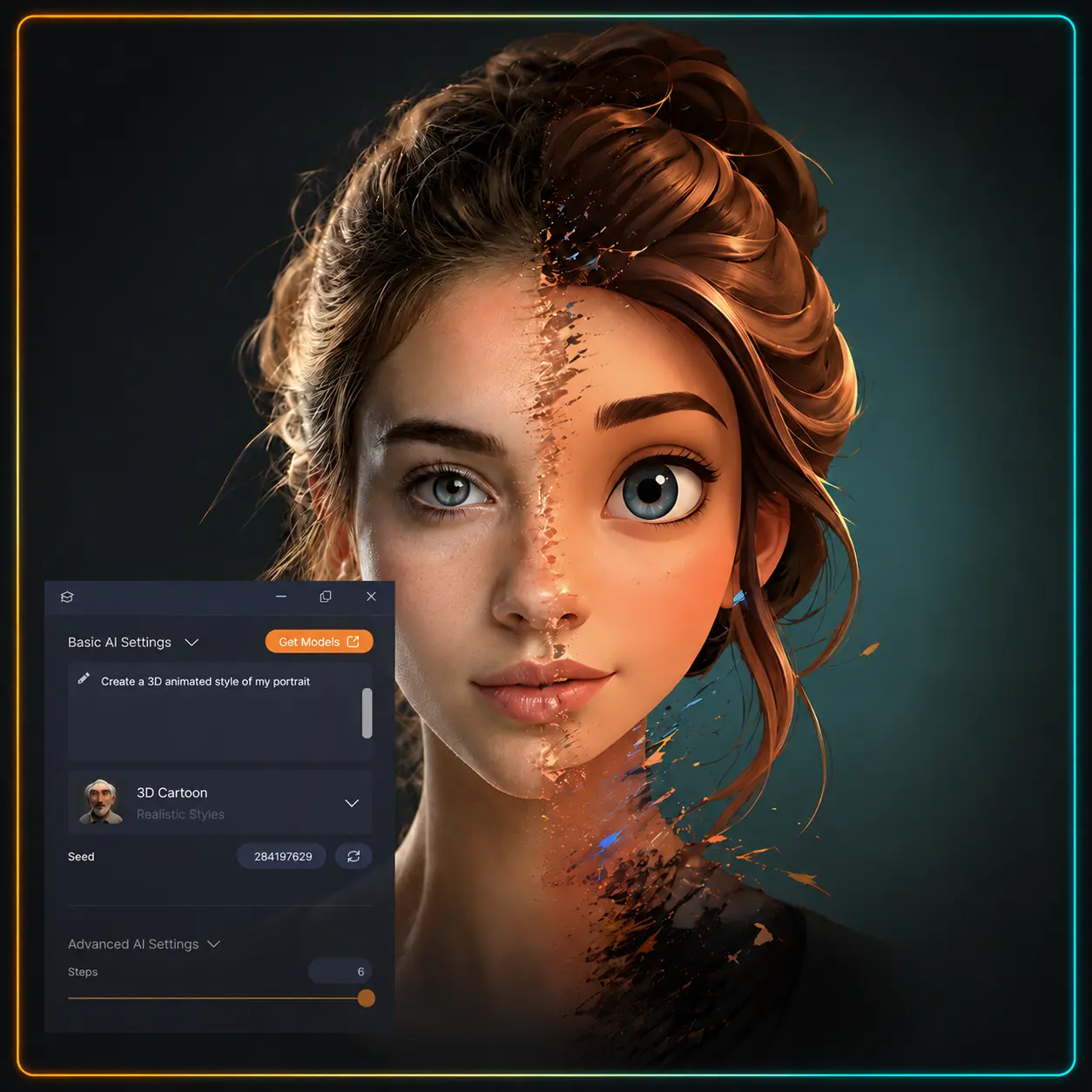
Vision FX is Distinct AI's local AI photo editor and image-to-image generative AI application, built for editing and reimagining photos, artwork, and designs.
Vision FX 3.0 is our freshly redesigned local AI application for editing and reimagining images.
Whether you begin with a photo, illustration, render, design, concept sketch, or product image, Vision FX gives you a simple way to work with your existing visuals using natural-language instructions.
The redesigned interface introduces a cleaner, easier creative workflow, bringing your source images, prompts, generated results, and refinement tools together in one place. You can explore different ideas, compare and refine results, and prepare images for your projects without switching between platforms.
For photographers, designers, artists, marketers, content creators, and creative teams, Vision FX 3.0 provides one local space to edit, reimagine, and fully develop your images.
Vision FX 3.0 brings together a wide range of AI image editing, reimagining, and refinement features, including:
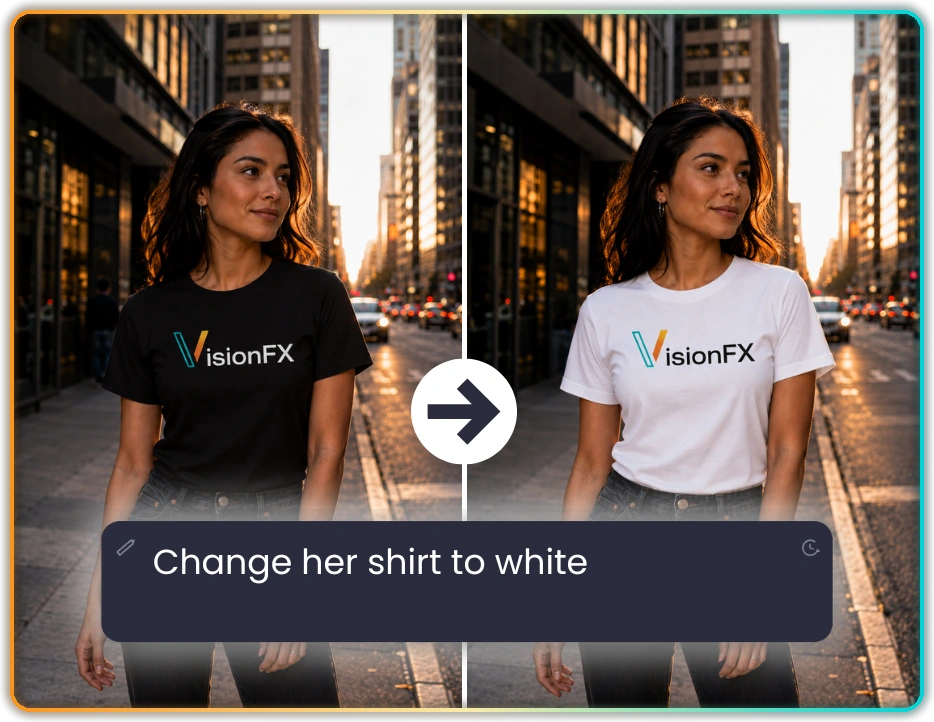
One of the biggest additions in Vision FX 3.0 is natural-language image editing. Instead of learning complex photo-editing tools, you can describe the change you want and let Vision FX apply the instruction directly to your image.
For example, you might begin with a portrait and write:
“Change her t-shirt to white.”
Vision FX can edit backgrounds, colours, clothing, hairstyles, objects, materials, and other visual details. You can also use it to create product mockups or adapt an existing image for a campaign, presentation, social post, or design concept.
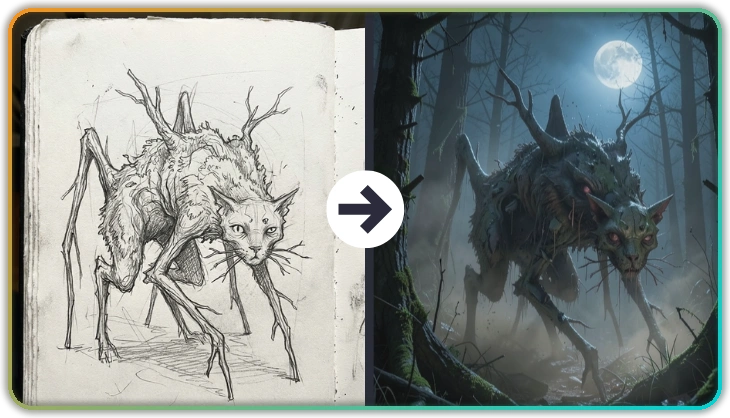
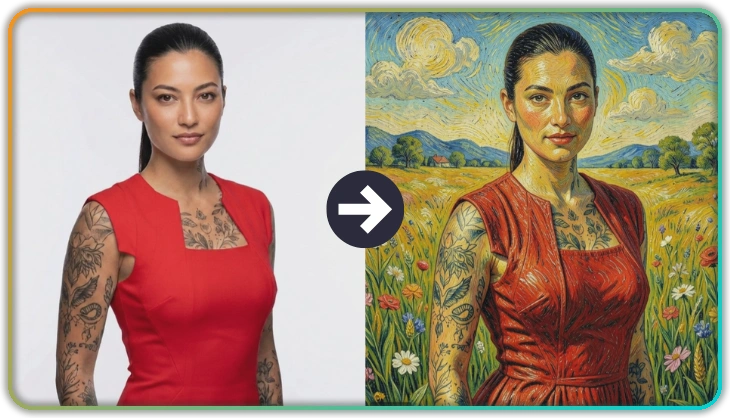
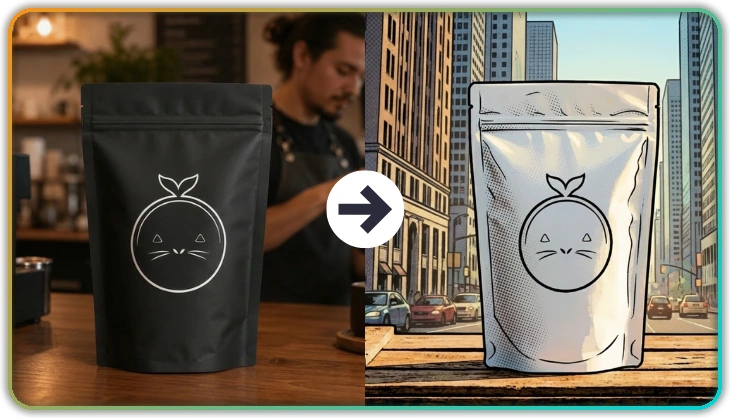
Vision FX 3.0 is also built for image transformation. You can use an existing image as your starting point, then explore new styles, environments, moods, and creative interpretations.
A photograph can become a cinematic portrait. A sketch can become a polished concept image. A product image can take on a more dramatic visual style.
Vision FX 3.0 gives creators several ways to guide the result beyond the written prompt.
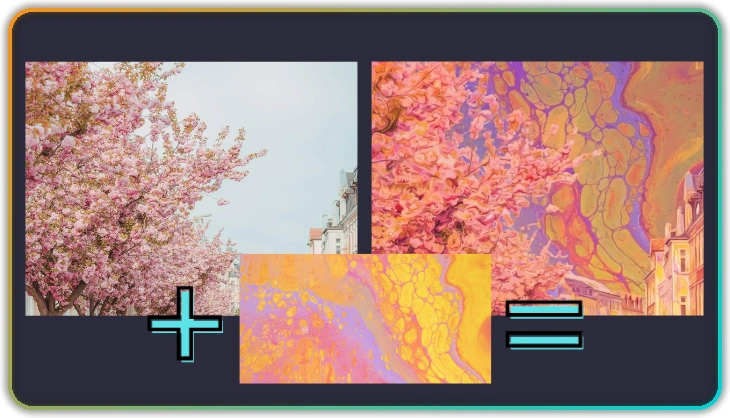
With Style Reference, you can place a reference image alongside your prompt to influence the colour palette, lighting, mood, artistic technique, and overall visual direction. This is especially useful when you know the look you want but can’t fully describe it in words.
With Structure Guidance, you can preserve important parts of the original image while changing its appearance. That can include poses, shapes, object placement, architectural layouts, and overall composition, giving you more control over what changes and what stays consistent.
Vision FX also includes more than 20 stylistic presets covering realism, illustration, cinematic looks, lighting, graphic art, and other creative styles. Presets provide a strong starting point while still leaving room to refine the result.
Together, prompts, reference images, Structure Guidance, and presets give you more control over both the content and the final visual style.

Vision FX 3.0 connects directly to Distinct AI’s Model Hub, giving creators access to multiple AI models with different strengths. Some models are designed for speed, some for image quality, some for instruction-based editing, and others for transformation or specific creative styles.
Instead of being trapped in one model experience or one visual look, you can choose the model that best fits the result you want. Model Hub also makes it easier to discover and install new models as they become available, allowing Vision FX to expand with new capabilities over time.
Vision FX also includes Batch Mode, which lets you generate up to 50 variations from the same source image, prompt, and settings in one run. You can then compare the results side by side without generating each version individually.
Vision FX 3.0 also includes practical tools for refining and preparing your images.
Intelligent Background Removal creates clean cutouts without complicated selections or manual masking.
Smart Crop identifies the main subject and helps Vision FX focus the transformation on the area that matters most.
AI Image Enhancement polishes final results with sharpening, smoothing, denoising, and overall cleanup.
Vision FX 3.0 is part of Distinct AI’s commitment to local creative AI.
With cloud-based AI tools, prompts and images are usually sent to remote servers for processing. Those services usually rely on credit systems, subscriptions, usage caps, and generation fees, creating pressure around how many ideas you are willing to test.
Vision FX runs locally on your desktop. Personal images, client projects, unreleased ideas, brand concepts, and intellectual property can remain on your device. You can continue experimenting without watching a credit counter or sending your creative work into a cloud system outside your control.
Your finished images also include commercial usage rights, allowing you to bring the results into client work, advertising, production, and other creative projects.
That is the Distinct AI advantage: more privacy, more control, and more freedom to keep refining your ideas until they align with your creative vision.
Vision FX 3.0 brings AI image editing, transformation, creative exploration, and finishing tools into one redesigned local desktop experience.
