What Is FLUX.2 Klein 4B? The Fast, Open Model Behind VisionFX's AI Image Editing Tools
High-speed generation meets precise image editing. Dive into our guide to FLUX.2 Klein 4B the latest model introduced with the latest version of Vision FX. Featuring natural-language image editing, pros and cons, and exact system requirements to run this open-source model locally.
What Is FLUX.2 [klein] 4B? The Fast, Open Model Behind VisionFX's AI Image Editing Tools
Most AI models can either make an image or edit one, not both. FLUX.2 [klein] 4B does both, and it does them fast, which is exactly why it performs so well inside Vision FX specifically. Vision FX's whole job is editing, and having a model that handles generation and precise edits natively, rather than switching models depending on the task, makes for a noticeably smoother workflow than models built for only one side of that job. It's also available in Render FX and Vector FX, but Vision FX is where this dual capability actually gets put to work the way it's meant to be.
A Fast Model From Black Forest Labs
FLUX.2 [klein] 4B comes from Black Forest Labs, the team behind the original FLUX models many local AI users already know. Within Distinct AI's lineup, it's rated among the highest visual quality of any model available, and it gets there without the long generation times that other top models require, which matters most in Vision FX, where you're often working through several edits in a row rather than waiting on one. It's also released under an Apache 2.0 licence, fully open for commercial use, including everything built on top of it inside Distinct AI's products.
Best Use Cases
FLUX.2 [klein] 4B holds up across a real range of styles, from clean product photography to painterly illustration and everything in between, without needing a different model for each look. That range, paired with its speed, makes it a strong fit for a few specific jobs:
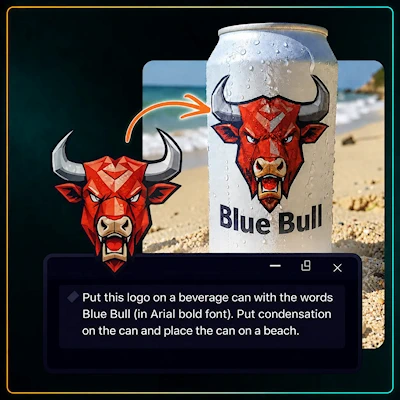
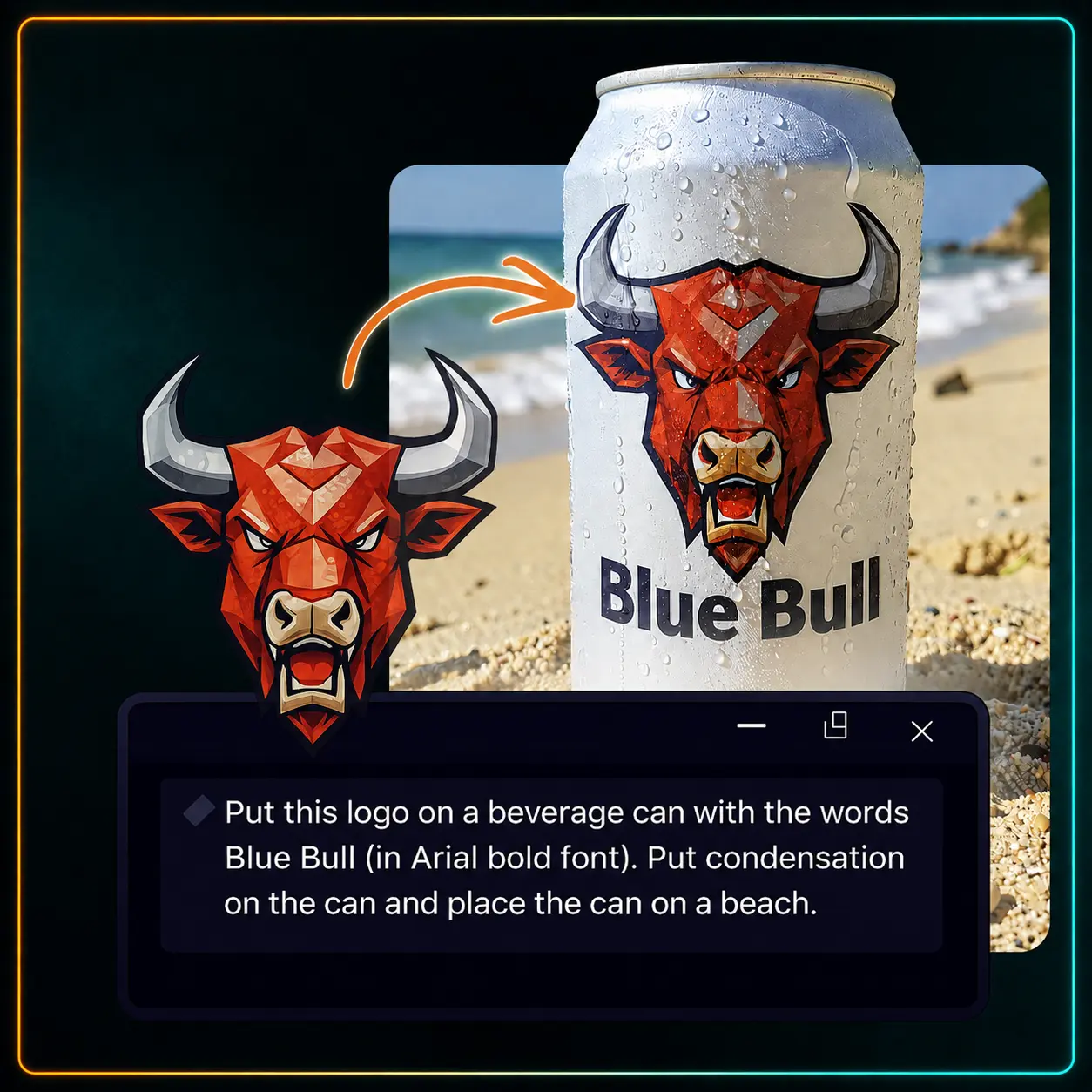
Natural-language AI image editing. Hand it a logo and a plain-language brief, "put this logo on a can, add condensation, place it on a beach," and it composites the whole scene: the branding placed, the label text set, the environment built in, all from one sentence.
Put this logo on a beverage can with the words Blue Bull. Put condensation on the can and place the can on a beach.
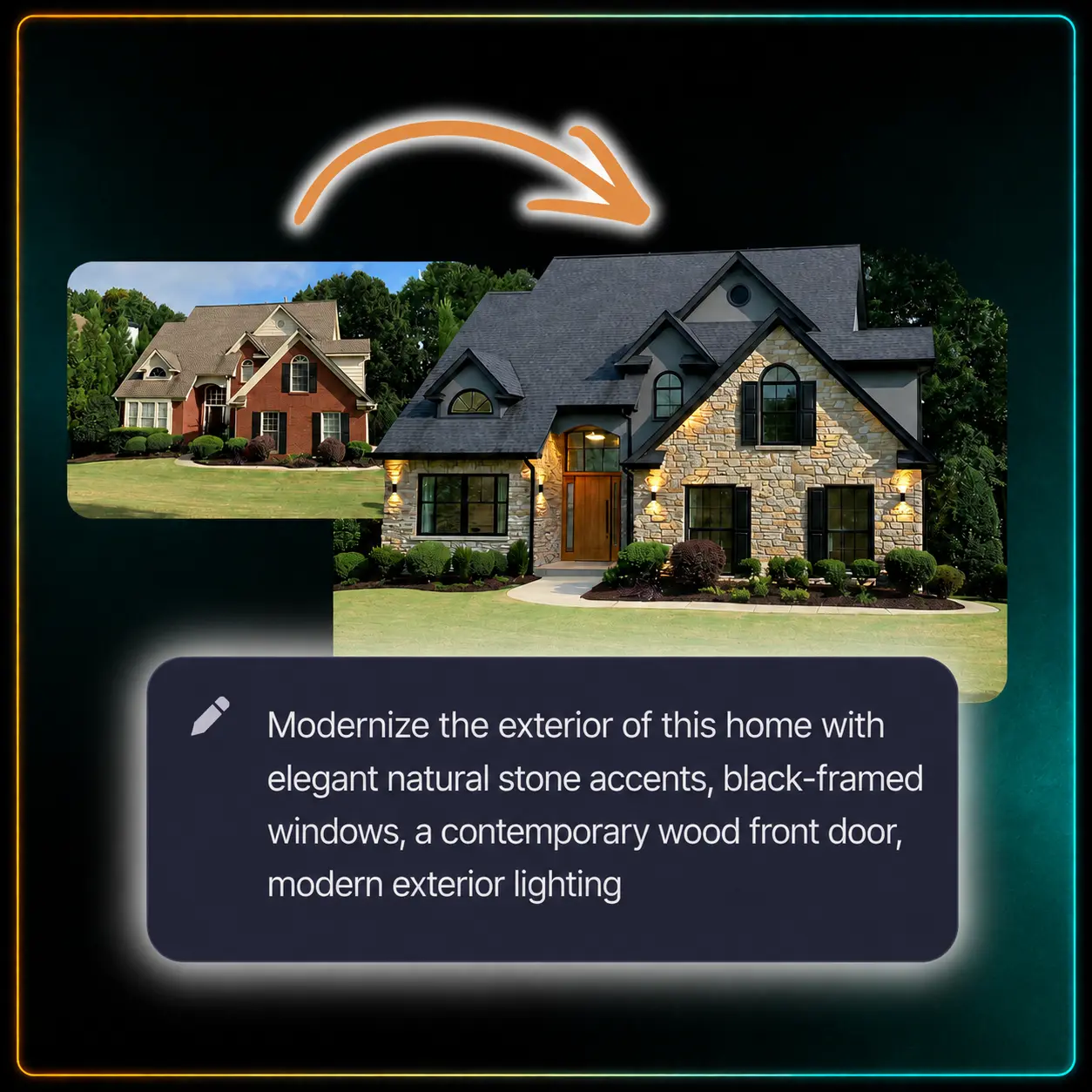
Consistent, multi-attribute edits. One prompt carried four separate instructions- stone accents, black-framed windows, a new front door, updated lighting, and it applied all of them while leaving the roofline, the trees, and the yard exactly as they were. That's what makes it reliable for iterative work: ask for the next change and the last one still holds.
Fast generation and previews. Run through eight different product contexts for the same brand mark, a perfume box, a gift bag, a gin label, a billboard, in the time it would normally take to open a design file for just one of them.
Multiple examples of logos added to different product shots
This is the combination of capabilities behind VisionFX's AI image editing tools: describe a change in plain language, and get a fast, consistent result without leaving the app.
How to Prompt FLUX.2 [klein] 4B
Black Forest Labs' own guidance for FLUX.2 recommends structuring a prompt around four elements, in order of importance: subject, action, style, and context. Put your most important detail first, since word order affects the result.
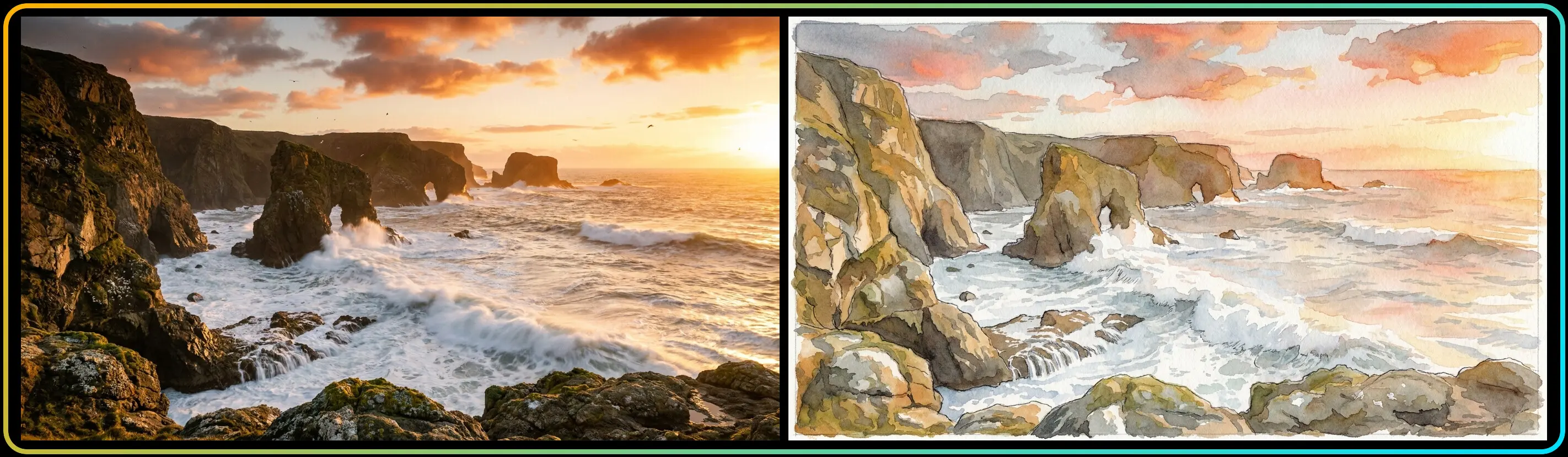
Natural-language sentences work well for quick exploration and simple scenes. As an example, for Vision FX: "This coastline photo, turned into a watercolor painting, loose visible brushstrokes and soft paper texture, the cliffs and wave shapes kept exactly where they are."
Before and after of a coastline transformed into a watercolor painting
A few things worth knowing:
No negative prompts. FLUX.2 doesn't support them. Instead of saying what to avoid, describe what you want directly, "sharp focus throughout" instead of "no blur."
For photorealism, specify the camera. Naming a camera, lens, or film stock (something like "shot on a Sony A7 IV, clean and sharp, high dynamic range") produces more convincing results than generic terms like "professional photo."
Prompt length scales with complexity. Short prompts (10 to 30 words) suit quick concepts; medium-length prompts (30 to 80 words) cover most everyday use.
Pros and Cons
Pros:
One of the highest visual quality ratings in the lineup
Handles generation and editing in one model
Fast, responsive performance suited to interactive, back-and-forth editing
Open license, fully usable for commercial work
Cons:
Not the strongest choice for images that need readable text, like a sign or a label
Requires an NVIDIA GPU. Unlike most other models in Model Hub, there's no CPU or Intel/AMD path for this one
Results can vary depending on how clearly a prompt is structured
Improving results
For edits that aren't landing, the most common fix is being more specific about what should stay the same, not just what should change. Treating an edit as a conversation (refine, then refine again) plays to this model's strength in iterative, consistent editing rather than expecting a single perfect result on the first attempt.
System Requirements
FLUX.2 [klein] 4B runs on CPU alone or with a compatible NVIDIA or Intel GPU.
CPU
Processor: Intel Core or AMD Ryzen processor
System memory: 64 GB RAM
Free disk space: 15.0 GB
Graphics: Integrated graphics supported; no dedicated GPU required
NVIDIA GPU
Graphics: NVIDIA GeForce RTX 20 Series or newer
Video memory: 6 GB VRAM or more
System memory: 24 GB RAM
Free disk space: 14.8 GB
Intel GPU
Graphics: Intel Arc graphics or Intel Iris Xe graphics
System memory: 64 GB RAM
Free disk space: 15.9 GB
Note: AMD GPU acceleration isn't supported for this model. AMD CPU is supported.
Final Thoughts
FLUX.2 [klein] 4B stands out for doing the thing most local models can't: generation and editing, handled fast, in the same system. For anyone using VisionFX's AI image editing tools to reshape a photo with a plain-language description, this is the model making that feel instant instead of like a rendering job.