BLOGS
AI Image Generation Terms Explained: Prompt, Tokens, Steps, and Variants
New to AI image generation? Prompts, tokens, steps and variants explained in plain language, so the settings in Render FX, Vector FX and Vision FX make sense.
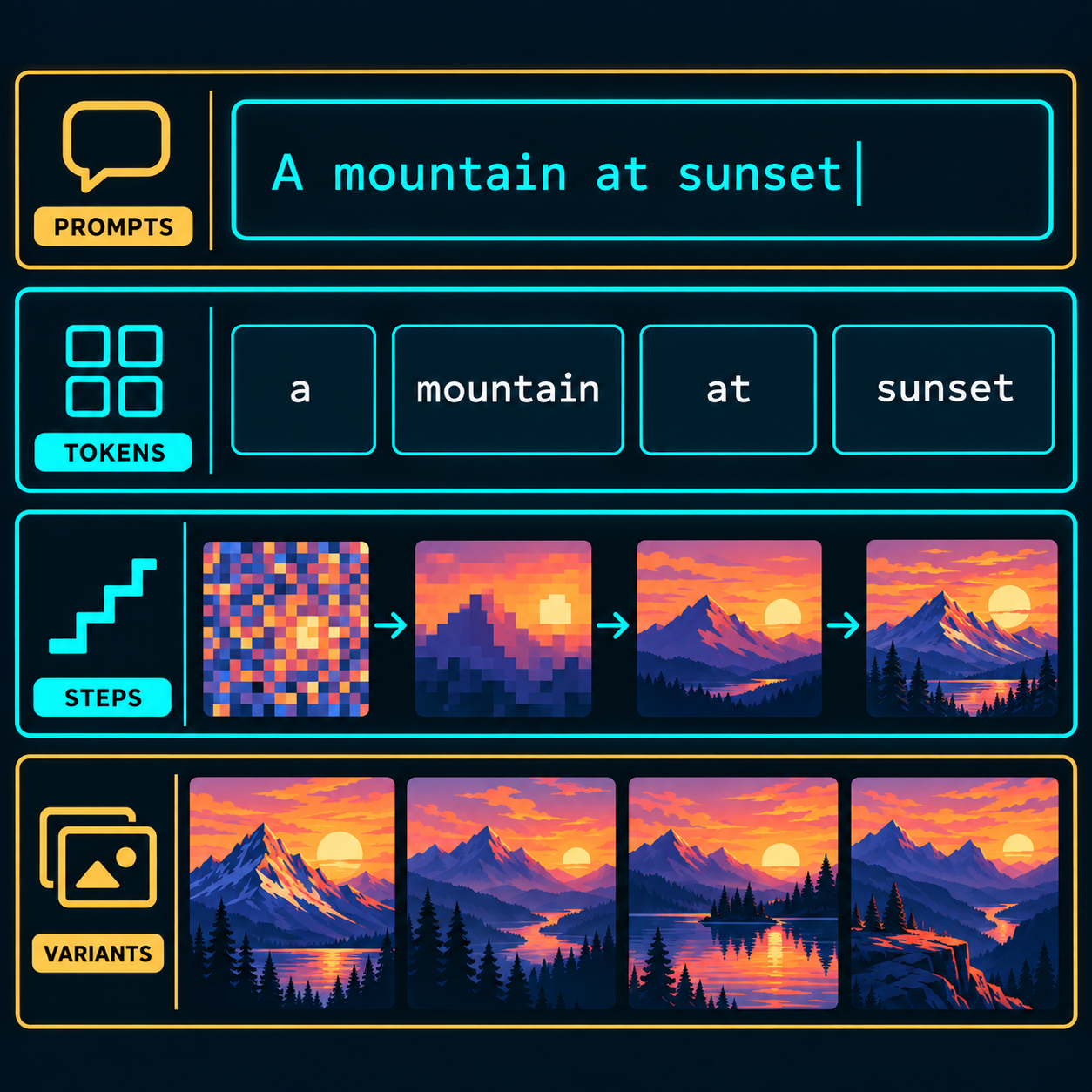
New to AI image generation? Prompts, tokens, steps and variants explained in plain language, so the settings in Render FX, Vector FX and Vision FX make sense.
If you're new to AI image generation, the vocabulary can feel like a wall before you've made a single image. Prompt, tokens, steps, variants, these words get thrown around constantly in AI art tools, tutorials, and settings panels, but rarely explained in plain language. This guide covers what each one actually means, so the settings inside Render FX, Vector FX, and Vision FX stop feeling like a foreign language and start feeling like dials you know how to turn.
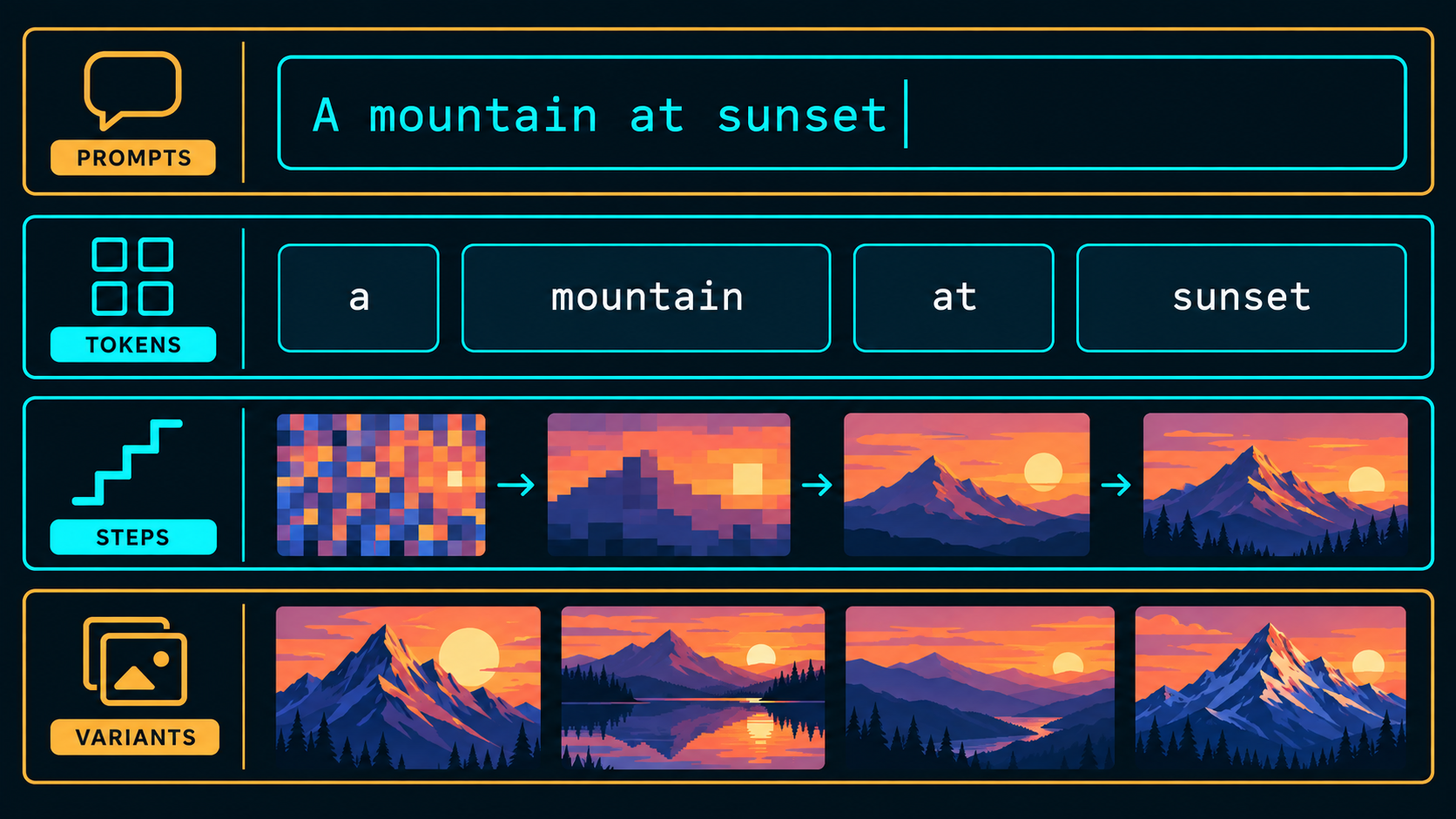
A prompt is the instruction you give the model, the text description of what you want it to generate. Some models respond best to natural language ("a weathered lighthouse on a rocky coast at sunset, dramatic lighting"), while others respond better to comma-separated tags ("lighthouse, rocky coast, sunset, dramatic lighting, masterpiece"). Which style works better depends on the model, not on you doing something wrong, FLUX-based models lean natural language, Animagine leans tag-based, and Distinct AI's apps are built to handle either.
A good prompt is specific rather than vague. "A dog" gives the model almost nothing to work with. "A golden retriever sitting in tall grass, golden hour lighting, shallow depth of field" gives it something concrete to build toward.
Before a model can use your prompt, it has to break it into tokens, the small chunks of text the model actually reads. A tokenizer splits your prompt into pieces, sometimes whole words, sometimes word fragments, and converts each one into something the model can process. Common short words are usually a single token; longer or less common words often split into two or three.
Two things about tokens are genuinely useful to know rather than just trivia. First, every model has a token limit on the prompt, so an overly long, rambling prompt can get truncated before the model ever sees the end of it, tight and specific beats long and vague. Second, tokens near the start of your prompt tend to carry more visual weight than tokens buried at the end, which is the real reason "put the important stuff first" is actual prompting advice and not superstition.
Generation steps (also called sampling steps) are the number of passes a model takes to turn random noise into a finished image. AI image generation doesn't happen in one shot, it happens iteratively: the model starts with static, then gradually refines it step by step until a recognizable image emerges.
More steps generally means more refinement, up to a point of diminishing returns, and fewer steps means faster generation at some cost to detail. This is exactly why "Turbo," "Lightning," and "Schnell" versions of a model exist: they're distilled to produce a strong result in far fewer steps, trading a small amount of maximum quality for dramatically faster generation. Qwen Image Lightning and FLUX Schnell are both built around this tradeoff on purpose.
Variants are the multiple different outputs you get back from a single prompt in one generation. Instead of committing to one result, you generate a batch, several interpretations of the same prompt (or the same prompt with small seed differences), then pick the one that actually works.
This matters because AI image generation has real randomness built in. The same prompt run twice won't produce identical images unless you lock the seed, so generating variants isn't a workaround, it's the intended way to explore a prompt's range and land on the version that fits. It's also how batch workflows work in practice, generating a room in 14 different art styles from one source photo, for example, and picking the strongest result rather than the first one.
Put together, the pipeline looks like this: you write a prompt, the model breaks it into tokens to actually read it, then runs that prompt through its generation steps, refining noise into an image, and you get back one or more variants to choose from. Change any piece, the wording, the step count, the number of variants, and the output changes with it.
None of these terms are complicated once you've seen them in action, they just don't get explained anywhere obvious. Understanding what's actually happening when you hit generate, how your prompt gets read, how many steps it's taking, how many variants you're getting back, makes it much easier to get the result you actually wanted on the first try instead of the fifth.
Ready to put it into practice? Try the same prompt across a few different models in Distinct AI's Model Hub and see how the result changes.
Learn how to get started with the Distinct AI product line-up or explore the rich features built into each product.
